
Cybersecurity Architect + Cloud and AI Security Engineer Bootcamp (SC-100 & SC-500)
Earn two Microsoft security certifications in six days: Cloud and AI Security Engineer Associate (SC-500) and Cybersecurity Architect Expert (SC-100). Our bootcamp takes you from implementing security controls for Azure, Microsoft 365 and AI workloads to designing Zero Trust security architecture across identity, infrastructure, applications and data, and you sit both exams while you attend. Taught live by Microsoft Certified Trainers, in person or online, with both exam vouchers, a retake voucher per exam and 90 days of lab access included.
Training Overview
Cybersecurity Architect + Cloud and AI Security Engineer Bootcamp (SC-100 & SC-500)

Everything You Need To Succeed
Training Schedule and Cost
Course Description
SC-100 and SC-500 Bootcamp Overview
This SC-100 and SC-500 bootcamp is an accelerated, instructor led path to two Microsoft security certifications in one trip: Microsoft Certified: Cloud and AI Security Engineer Associate and Microsoft Certified: Cybersecurity Architect Expert. In six days, this cybersecurity architect bootcamp takes you from implementing security controls to designing security architecture for a whole organization.
You start hands on with SC-500, implementing security controls across Azure, Microsoft 365 and AI workloads with Microsoft Entra ID, Azure Key Vault, Azure networking, Microsoft Defender for Cloud, Microsoft Sentinel and Security Copilot. The rest of the week moves from implementation to architecture with SC-100: designing Zero Trust strategy, security operations, identity and compliance, and protection for infrastructure, applications, data and AI. You sit the SC-500 exam and the SC-100 exam while you attend.
Who This Course Is For
This cybersecurity architect training is built for security engineers and architects who protect identity, infrastructure, data and applications across Azure, Microsoft 365 and hybrid environments, and who now need to secure AI workloads and agents as well. It suits engineers stepping up to an architect role, architects who want a current associate credential alongside the expert one, and security leads who set Zero Trust strategy and need to know how the controls work in practice.
What You'll Learn in the SC-500 Training
The SC-500 course follows the four skill areas Microsoft measures on the exam:
- Manage identity, access, and governance (20 to 25%): Privileged Identity Management, Conditional Access, authentication methods, application and managed identities, Azure Key Vault, Azure Policy, RBAC, resource locks and compliance in Defender for Cloud.
- Secure storage, databases, and networking (25 to 30%): storage accounts and Defender for Storage, Azure SQL auditing and Defender for Databases, network security groups, Virtual Network Manager, VPN, private endpoints and Private Link, Azure Firewall and Network Watcher.
- Secure compute (20 to 25%): securing Copilot, Copilot Studio agents and Microsoft Entra Agent ID, AI Gateway in API Management, Defender for AI and Foundry guardrails; disk encryption, Azure Bastion, just in time VM access and Defender for Servers; and containers, AKS, Functions, App Service and Web Application Firewall.
- Manage and monitor security posture (20 to 25%): Defender CSPM, regulatory compliance, AWS and GCP connections, vulnerability management, Microsoft Sentinel data connectors and automation, and Security Copilot plugins and agents.
What You'll Learn in the SC-100 Training
The SC-100 course follows the skill areas Microsoft updated on October 21, 2026:
- Design solutions that align with security best practices and priorities (20 to 25%): resiliency for ransomware, backup and recovery, and alignment with the Microsoft Cybersecurity Reference Architectures (MCRA), Microsoft cloud security benchmark, Zero Trust, the Cloud Adoption Framework and the Azure Well-Architected Framework, including secure AI adoption.
- Design security operations, identity, and compliance capabilities (25 to 30%): XDR and SIEM, SOAR and MITRE ATT&CK coverage; identity with Microsoft Entra ID, Entra Agent ID and Conditional Access; privileged access with PIM and the enterprise access model; and regulatory compliance with Microsoft Purview, Azure Policy and Defender for Cloud.
- Design security solutions for infrastructure (25 to 30%): posture management with Defender for Cloud, Secure Score, Azure Arc and Exposure Management; servers, clients, IoT and OT; SaaS, PaaS, IaaS, containers and Azure AI services; and network security with Entra Internet Access and Entra Private Access.
- Design security solutions for applications and data (20 to 25%): Microsoft 365 security including Microsoft 365 Copilot controls, threat modeling and the application security lifecycle, workload identities and API management, and data classification, encryption and protection for AI workload data.
Why Choose This Cybersecurity Architect Bootcamp
Go from implementing cloud and AI security to designing it in one trip. This all inclusive camp is led by Microsoft Certified Trainers as an authorized Microsoft Solutions Partner, with Microsoft official hands on labs, and both exams administered while you attend.
- Six day combo format: two courses, two exams and two certifications, including the expert credential.
- 95% first attempt pass rate, with one retake voucher per exam if you need it.
- Two Microsoft Official Exam Vouchers included, with no hidden exam fees.
- Microsoft official hands on labs and 90 days of extended lab access after the camp.
- Up to 6 months to defer your exam or resit the training after the camp finishes.
- Taught by Microsoft Certified Trainers, live online or in person.
- Classes run as scheduled, with no cancellations, so you can book travel with confidence.
Only need SC-500? Our SC-500 bootcamp covers the Cloud and AI Security Engineer exam on its own. Work in a security operations center? Our SC-100 and SC-200 bootcamp pairs Cybersecurity Architect Expert with Security Operations Analyst Associate.
Topics Covered
Explore Microsoft Entra ID authentication methods
Configure multifactor authentication in Microsoft Entra ID
Implement passwordless authentication in Microsoft Entra ID
Configure self-service password reset in Microsoft Entra ID
Why Privileged Identity Management and just-in-time access matter
Core capabilities of Privileged Identity Management (PIM)
Implement just-in-time access for Microsoft Entra roles
Implement just-in-time access for Azure roles and resources
Scaling with PIM for Groups
Applying JIT access to AI workloads, agents, and applications
JIT design patterns and best practices
Integrate an API plugin with an API secured with a key
Exercise - Integrate an API plugin with an API secured with a key
Integrate an API plugin with an API secured with OAuth
Deploy Azure Key Vault with security controls
Configure access to Azure Key Vault
Configure Key Vault firewall and network settings
Manage cryptographic keys in Azure Key Vault
Manage secrets in Azure Key Vault
Manage certificates in Azure Key Vault
Enable Key Vault audit logging
Scan for exposed secrets using Defender Cloud Security Posture Management (CSPM)
Enable Microsoft Defender for Key Vault
Investigate and respond to Defender for Key Vault alerts
Assign built-in Azure Policy definitions
Create and deploy custom policy definitions
Implement resource locks
Microsoft Solutions Partner
As an authorized Microsoft Solutions Partner, we deliver Microsoft Official Courseware (MOC) taught by Microsoft Certified Trainers (MCTs). Our curriculum, labs and exam delivery meet Microsoft's highest standards for accredited training.
See What You'll Learn
Watch a short overview of the SC-100 & SC-500 course — what's covered, who it's for, and what you'll walk away certified to do. Or download the full syllabus as a PDF.
The Certification Camps Difference
How Does the Certification Camps Boot Camps Work?
Start your learning immediately with access to content as soon as your registration is processed.
 Step 01
Before the Boot Camp
Start learning now. Once your registration is processed, you'll receive access to materials. Prepare for your live boot camp and identify knowledge gaps to maximize your experience.
 Step 02
During the Boot Camp
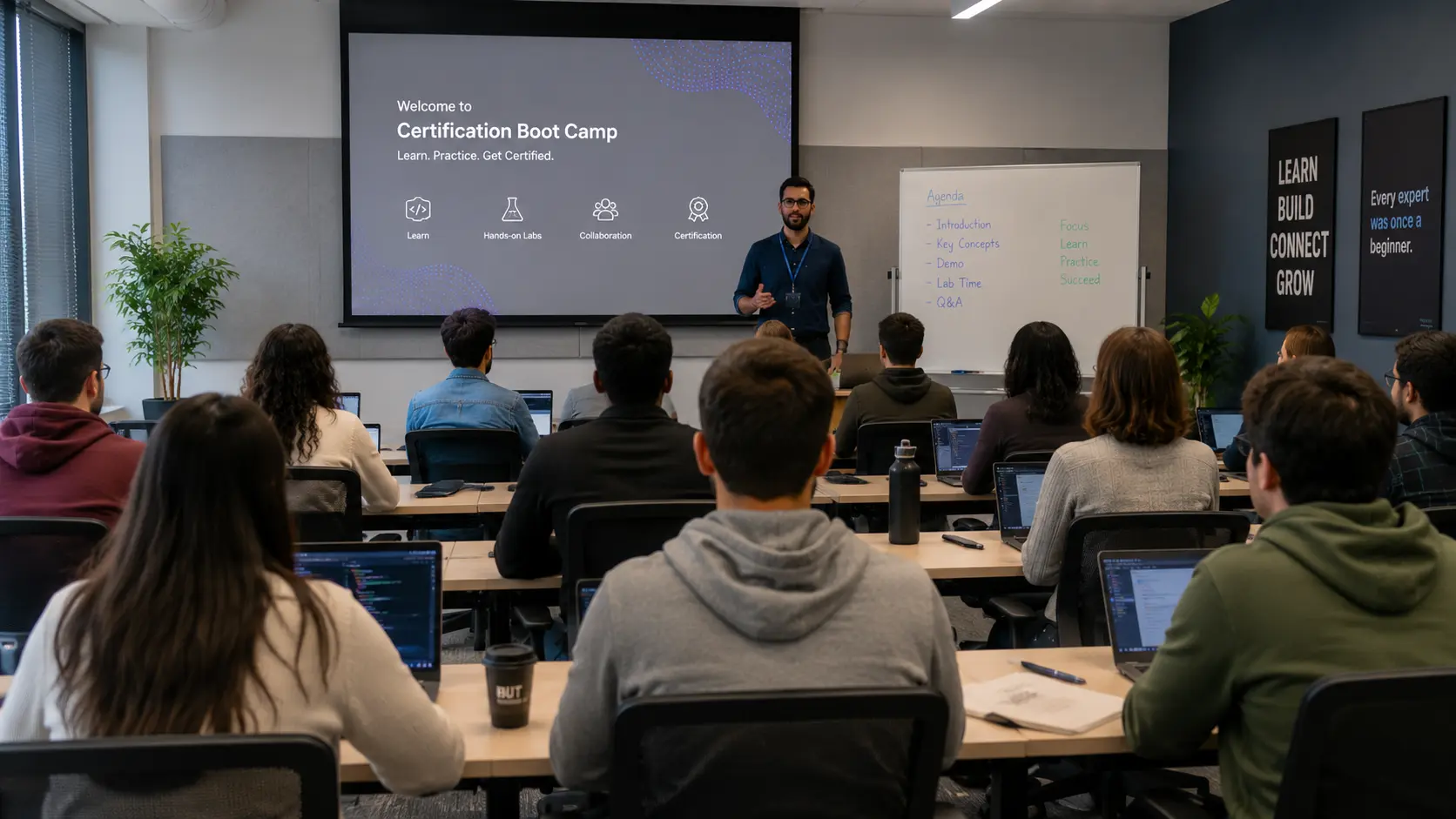
Attend instructor-led live training at our facility in Florida or online — same class, same instructor, same interaction. Engage in presentations, labs and demos, then take the certification exam(s) while attending.
 Step 03
After the Boot Camp
Continue to access your student lab environment for 90 days after your camp is over. Need to defer your exams or re-sit the training? You have up to 6 months after the camp is complete.
Trusted by 15,000+ IT Professionals
★★★★★ 4.9 · Based on 2,300+ verified reviews
Common Questions
Related Microsoft Security, Compliance & Identity Bootcamps
Build a complete career path. Many students combine certifications for deeper expertise. Ask us about combo pricing.
Seats are filling fast.
Lock in your spot today.
Join 15,000+ professionals and register for the SC-100 & SC-500 boot camp today.