
20486: Developing ASP.NET MVC 4 Web Applications
No related bootcamps found.

Exams Included & Administered During Camp:
70-480: Programming in HTML5 with JavaScript and CSS3
70-486: Developing ASP.NET MVC Web Applications
What's Included
 Airfare To/From Sarasota or Tampa
- 2 Microsoft Test Vouchers
 2 Microsoft Official Courses
- 7 Nights of Lodging
- 1 Retake Voucher (per exam, if needed)
- Microsoft Study Labs & Simulations
 Ground Transportation
 Onsite Pearson Vue Test Center
- Instructor Led Classroom Training
 Airfare To/From Sarasota or Tampa
 2 Microsoft Test Vouchers
 2 Microsoft Official Courses
 7 Nights of Lodging
 1 Retake Voucher (per exam, if needed)
 Microsoft Study Labs & Simulations
 Ground Transportation
 Onsite Pearson Vue Test Center
 Instructor Led Classroom Training
The NEW Microsoft MCSA Web Applications is a 7 day comprehensive deep dive teaching students HTML5/CSS3/JavaScript to implement programming logic, define and use variables, perform looping and branching, develop user interfaces, capture and validate user input, store data, and create well-structured application then develop advanced ASP.NET MVC applications using Visual Studio 2017 technologies.
This MCSD Web Applications boot camp incorporates Microsoft Official Courses -
20480 Programming in HTML5 with JavaScript and CSS3 Course Description
20486 Developing ASP.NET MVC 4 Web Applications
While attending this training program - you take two certification exams to test and certify for the MCSA: Web Applications official certification. If your goal is to learn how to use Visual Studio to develop web apps and pass the certification exams (70-480 & 70-486) - you've found the right place. This course is a hybrid of actual hands on learning combined with focused materials mapped to exam objectives.
Topics covered in this boot camp:
Explain how to use Visual Studio 2017 to create and run a Web application.
Describe the new features of HTML5, and create and style HTML5 pages.
Add interactivity to an HTML5 page by using JavaScript.
Create HTML5 forms by using different input types, and validate user input by using HTML5 attributes and JavaScript code.
Send and receive data to and from a remote data source by using XMLHTTPRequest objects and Fetch API.
Style HTML5 pages by using CSS3.
Create well-structured and easily-maintainable JavaScript code.
Write modern JavaScript code and use babel to make it compatible to all browsers.
Use common HTML5 APIs in interactive Web applications.
Create Web applications that support offline operations.
Create HTML5 Web pages that can adapt to different devices and form factors.
Add advanced graphics to an HTML5 page by using Canvas elements, and by using and Scalable Vector Graphics.
Enhance the user experience by adding animations to an HTML5 page.
Use Web Sockets to send and receive data between a Web application and a server.
Improve the responsiveness of a Web application that performs long-running operations by using Web Worker processes.
Use WebPack to package web applications for production.
Describe the Microsoft Web Technologies stack and select an appropriate technology to use to develop any given application.
Design the architecture and implementation of a web application that will meet a set of functional requirements, user interface requirements, and address business models.
Create MVC Models and write code that implements business logic within Model methods, properties, and events.
Add Controllers to an MVC Application to manage user interaction, update models, and select and return Views.
Create Views in an MVC application that display and edit data and interact with Models and Controllers.
Run unit tests and debugging tools against a web application in Visual Studio and configure an application for troubleshooting.
Develop a web application that uses the ASP.NET routing engine to present friendly URLs and a logical navigation hierarchy to users.
Implement a consistent look and feel, including corporate branding, across an entire MVC web application.
Use partial page updates and caching to reduce the network bandwidth used by an application and accelerate responses to user requests.
Write JavaScript code that runs on the client side and utilizes the jQuery script library to optimize the responsiveness of an MVC web application.
Implement a complete membership system in an MVC web application.
Build an MVC application that resists malicious attacks and persists information about users and preferences.
Describe how to write a Microsoft Azure web service and call it from and MVC application.
Describe what a Web API is and why developers might add a Web API to an application.
Modify the way browser requests are handled by an MVC application.
Describe how to package and deploy an ASP.NET MVC web application from a development computer to a web server for staging or production.

Certification Camps has developed a comprehensive training / delivery format focused on learning beyond the generic book content (accessible to any Microsoft training provider). Our program incorporates interactive demonstrations and detailed real world explanations. When possible - additional content, videos, labs & demonstrations are provided to expand on advanced topics - providing additional insight and perspective. Certification Camps training is not the typical book & PowerPoint presentation found at any local training center.
As a Microsoft Certified Partner with Gold Learning Competency - we adhere to the strict guidelines, standards and requirements to use Microsoft's exclusive curriculum. More over - our standards go beyond the "minimum requirements" set forth by Microsoft Learning.
We leverage our partnership benefits of courseware customization to build end to end technology training solutions. Students gain practical skills which can be implemented immediately.
At most training centers - learning starts on the first day of class and ends on the last day. Our boot camp training program is designed to offer resources before, during and after the training.
CERTIFICATION CAMPS FACILITIES
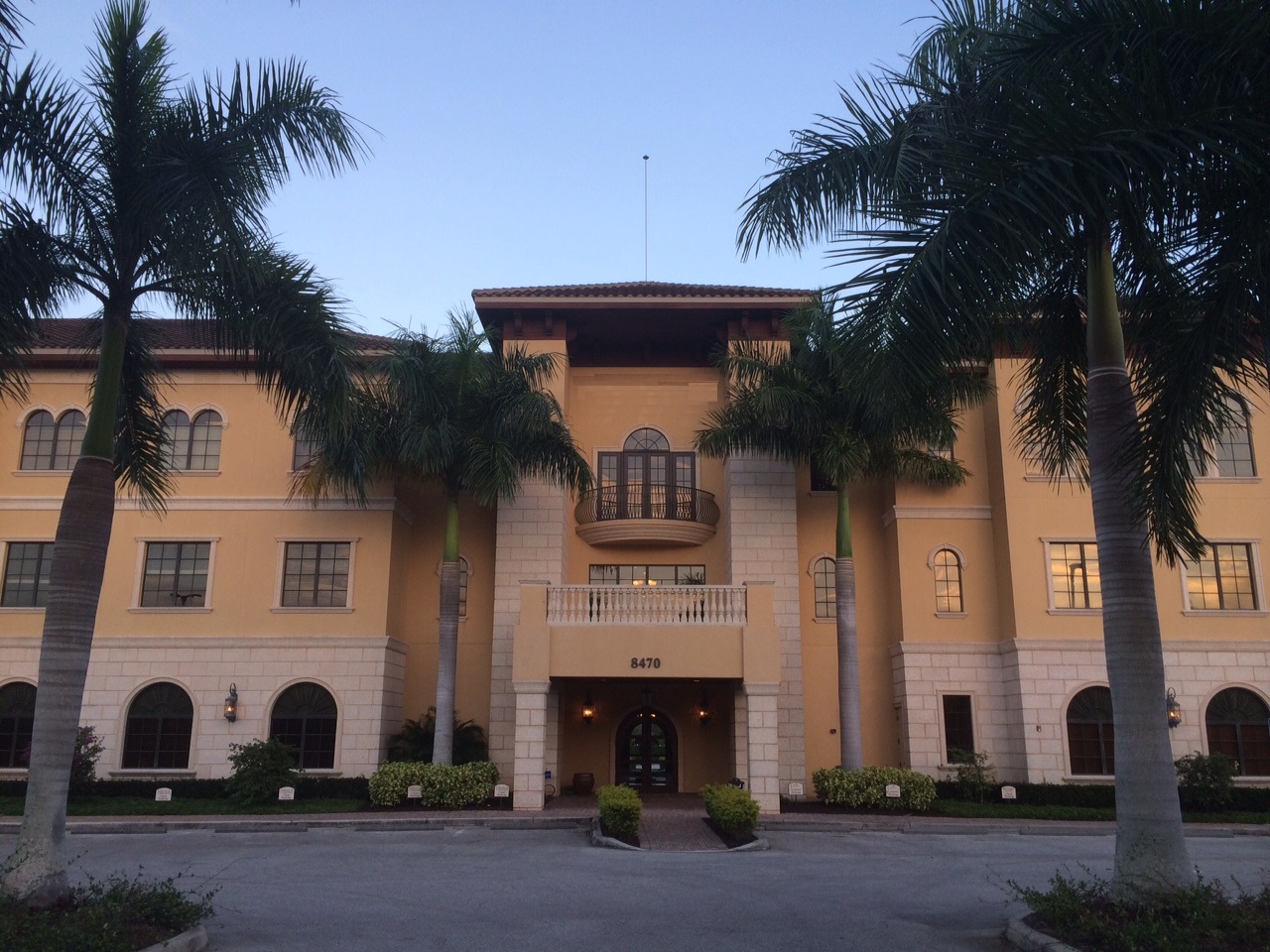 CAMPUS - Certification Camps built a state of the art training center with spacious classrooms, no sound transference between rooms, large individual desk, Herman Miller Aeron chairs & great common areas.
CLASSROOM SERVERS - Students work on a dedicated Dell 8700 / 8900 with an Intel i7 (6th generation), 32GB memory with 512GB SSD drives.
CAMPUS INTERNET - The campus is connected with a 300Mbs Verizon Fios Business Connection which provides complete internet (including VPN) access for students.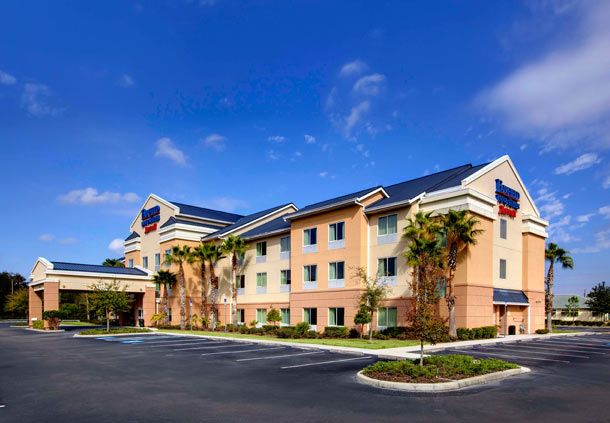
COMMON AREA - Unlike any training facility ever - break room with Mame Arcade, high end "kitchen" with snacks, drinks (Starbucks Coffee, 100% juices, sodas, etc) and breathtaking terrace.
LODGING - We use the Marriott Fairfield Inn & Suites Lakewood Ranch. This "upgraded" hotel offers extremely comfortable beds, great breakfast and very fast (Verizon) internet access.
NEARBY AMENITIES - Many shops, restaurants and grocery options are available within walking distance. Additionally - the hotel provided scheduled shuttle services. Restaurants like Cheesecake Factory, California Pizza Kitchen, Panera Bread, Bone Fish Grill, Ruby Tuesday's, Five Guys, Chipotle, Quiznos, Chili's and over 20 additional choices in the immediate area. All of these options are offered in a pedestrian walking village.


